Posts

Showing posts with the label Blend

Silverlight 4.0 Tutorial (12 of N): Collecting Attendees Feedback using Windows Phone 7

Image
You can find a list of the previous tutorial posts here Continuing our RegistrationBooth Application… It’s very important to collect the attendees feedback to help us improve the future sessions/events we might organize, we can go ahead and implement this functionality in the RegistrationBooth application. but in this post we will take a different approach, we will implement a Windows Phone 7 application that attendees can use on their phones to submit their feedback. Luckily for us Windows Phone 7 uses Silverlight as its development platform (along with XNA), the Silverlight version on Windows Phone is not the same one as the desktop version, think of this as a compact version that fits the phone capabilities. Before we start creating the phone application, first let’s think how we will bring the data to the phone, in the case of the Silverlight application we used WCF RIA services (DomainService) which provided rich client experience for the Silverlight application, Unfortunate...

Silverlight 4.0 Tutorial (11 of N): Roulette Behavior

Image
You can find a list of the previous tutorial posts here Continuing our RegistrationBooth Application… In most of the offline events we hold, there are some giveaways for the audience (most of the time the prize is XBOX). Picking a winner is manual process where we collect the feedback forms, put it in a big box/bag, shake the box/bag and turn it upside down multiple times to make sure that the forms are scrambled enough so that when we pick a form it will be a random one , not the best process I know. So in this post we will add to our RegistrationBooth application the ability to perform a random draw. we already have our attendees listed in a PathListBox , wouldn’t it be nice if this list can spin like a roulette till it stops at the lucky winner, let’s see how we can implement this. I thought it’s better if we implement this feature as a behavior so that we can easily apply it to any PathListBox , I will call this behavior RouletteBehavior . To create a behavior we need to de...

Expression Blend Demo

In our last community event I delivered a session about using Expression Blend to build Silverlight Applications, many people asked me for the demo project I used, This time I will not write a blog post to walk you through the demo, instead I thought I will give it a try and record a video of the demo, here is the video http://www.devlifestyle.net/videos/Blend-Silverlight.mp4 please let me know your feedback.

Silverlight 4.0 Tutorial (10 of N): Working with the PathListBox

Image
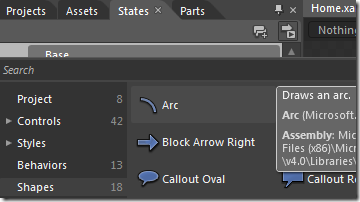
You can find a list of the previous tutorial posts here Continuing our RegistrationBooth Application, In this post we will make a change to the way we display the list of attendees. Currently we display them in a standard ListBox, we will replace this with a PathListBox, the PathListBox is a new customized control that comes with Blend SDK. From its name this control is a list box however its elements are placed on whatever path you draw so instead of having our attendees placed vertically in the ListBox we will have our attendees placed along the path we will draw, let’s start by deleting the existing ListBox. First thing is to draw the path on which we will display the attendees, we will draw a big arc and place it in the left corner, drag an arc shape from the assets window Drop it on the left column and set the StartAngle to 0 and the EndAngle to 180 to make the arc like a half ellipse To convert this into a PathListBox, right click on the arc and select Path->Make...