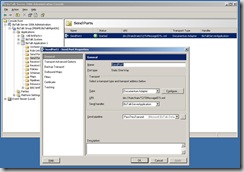
In the previous post I showed how we can use the adapter to send files to Documentum to be stored as documents of type “dm_document”. A more practical use for the adapter is to use the adapter to send files to be stored as custom type documents, to do so we need to create a schema that reflects the custom type definition, I employed the adapter metadata wizard, here is a walkthrough on how to use this functionality: - create a new empty BizTalk project, right click the project in the solution explorer and click add generated item - The add adapter wizard will open, in the first step select the Dynamic Documentum Adapter - On the next step enter the credentials to connect to Documentum and choose the Docbase - In the next step select the custom type you want to import its schema (here I have a custom type purchaseorder that has the following attributes: ponumber(string), supplier(string), podate(time), items(repeating string) ) - click the finish button and the wiza...